IPTV can be incredibly flexible, but flexibility often comes with complexity.
A single user may have thousands of live channels, large movie and series libraries, multiple IPTV sources, different EPG configurations, favorite channels and several people sharing the same setup. Traditional IPTV players can handle playback, but managing everything efficiently is another challenge.
This is where IPTVIQ takes a different approach.

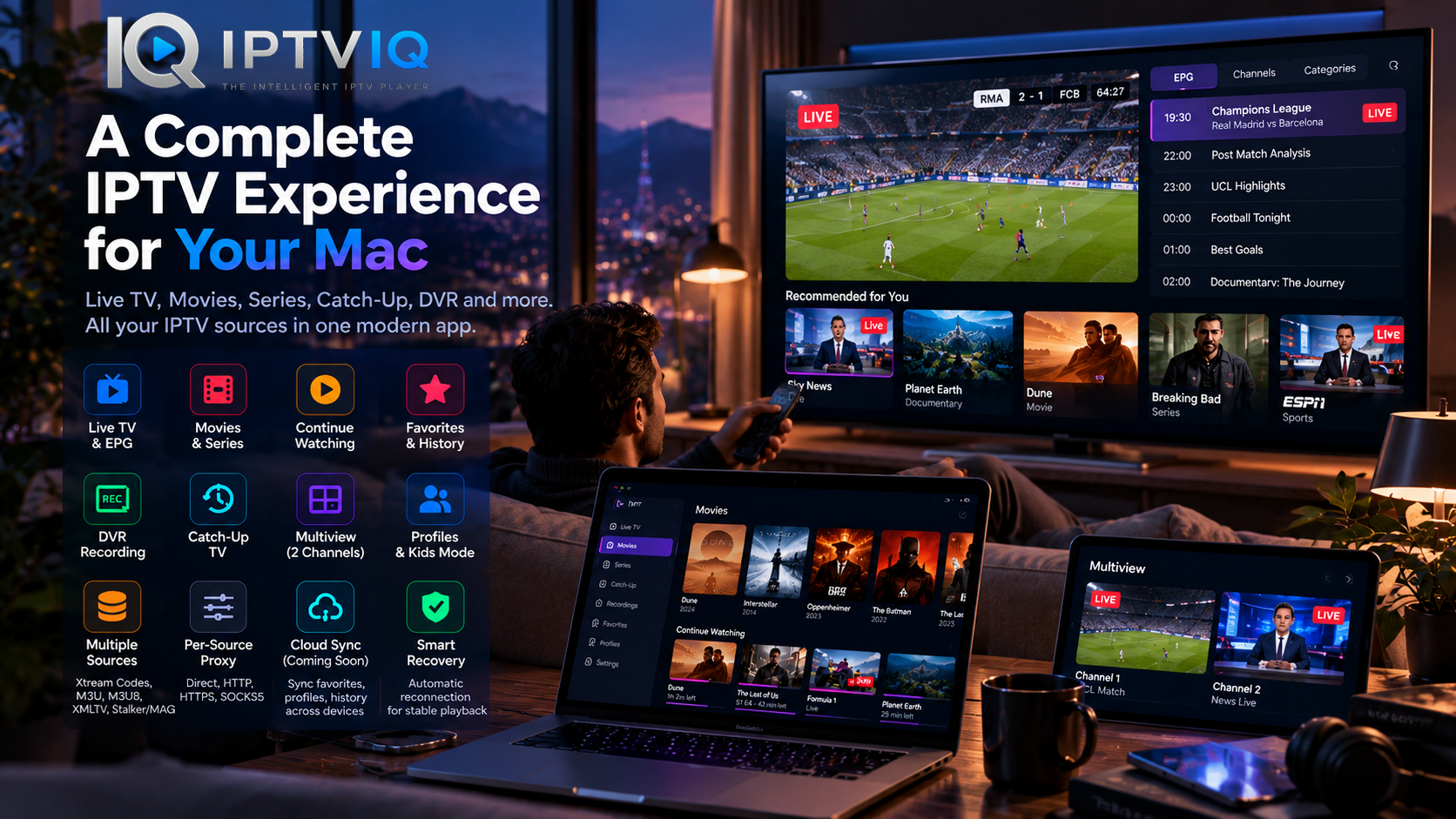
Designed for macOS, IPTVIQ combines IPTV playback with content organization, profiles, DVR recording, Catch-Up TV, Multiview, EPG integration and advanced source management.
The goal is not simply to play an IPTV stream. It is to create a more complete viewing environment around the IPTV sources users already have.
What Is IPTVIQ?
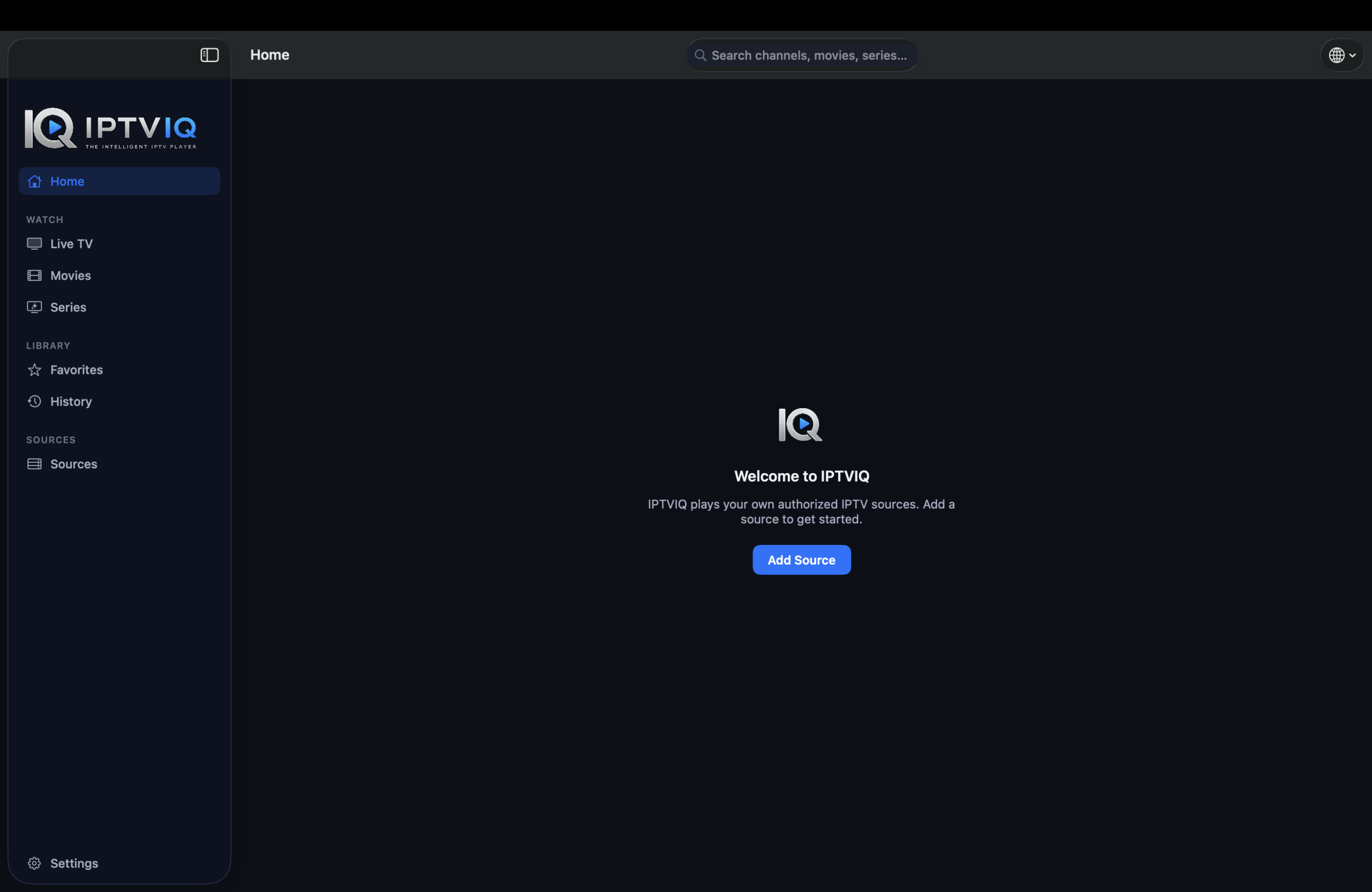
IPTVIQ is a modern IPTV player for Mac.
It allows users to connect compatible IPTV sources and organize available Live TV, movies and television series through a unified interface.
IPTVIQ is not an IPTV provider.
It does not sell IPTV subscriptions or provide its own channel packages, movies or television series. Users need to supply their own compatible IPTV sources and ensure they have authorization to access the content.
The application focuses on everything that happens after a source is connected: organization, navigation, playback and personalization.
More Than an M3U Player
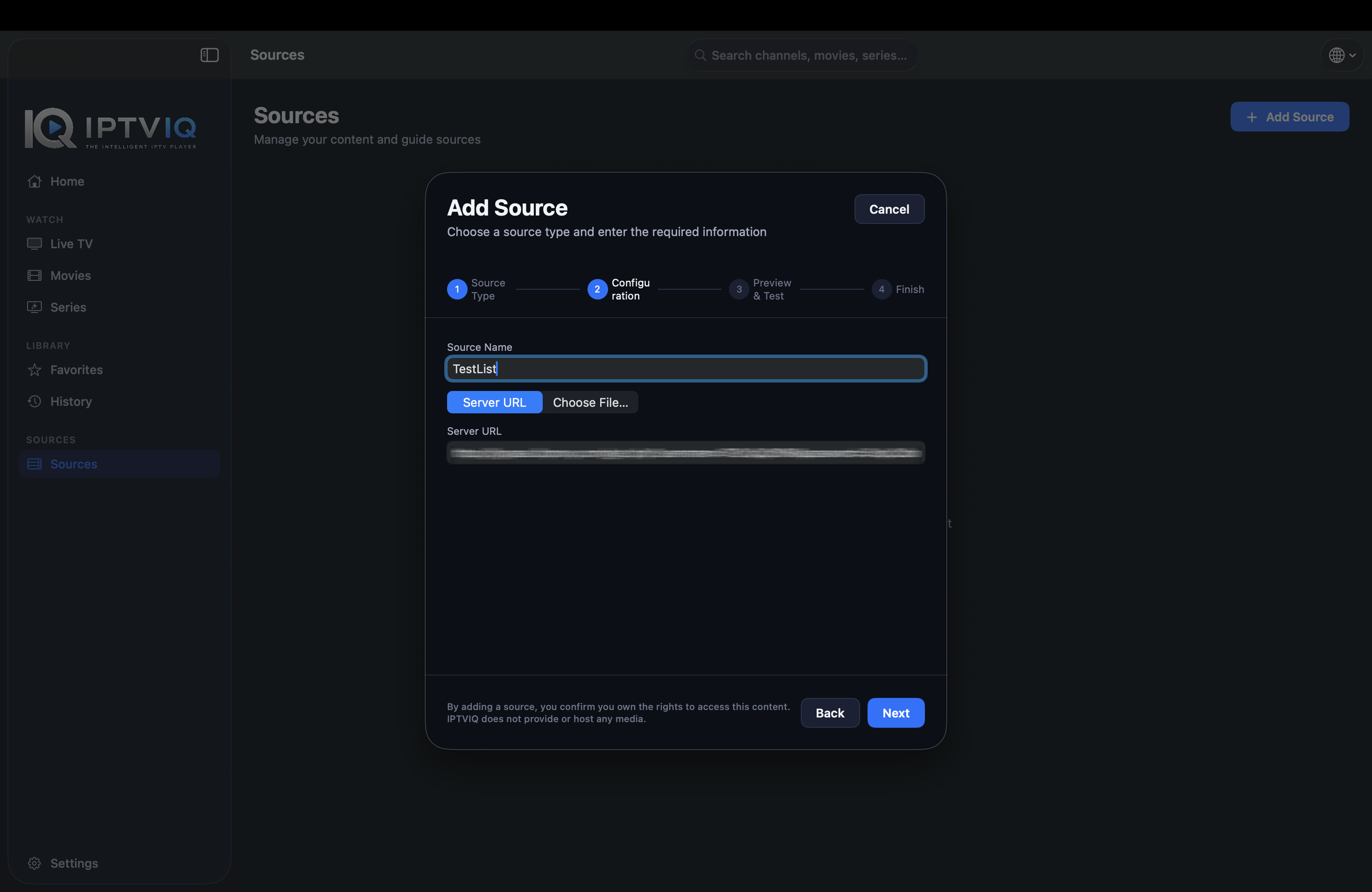
M3U support is important, but modern IPTV ecosystems use several different technologies.
IPTVIQ supports multiple source types, including:
- M3U
- M3U8
- Xtream Codes
- XMLTV
- Stalker
- MAG
- Ministra
More importantly, users are not restricted to only one source.
Multiple compatible IPTV sources can be added and managed within the same application.
This makes IPTVIQ particularly useful for people who want one consistent interface instead of switching between different players and configurations.
A More Organized Live TV Experience
Opening a playlist containing thousands of channels is technically functional, but it is rarely a pleasant viewing experience.
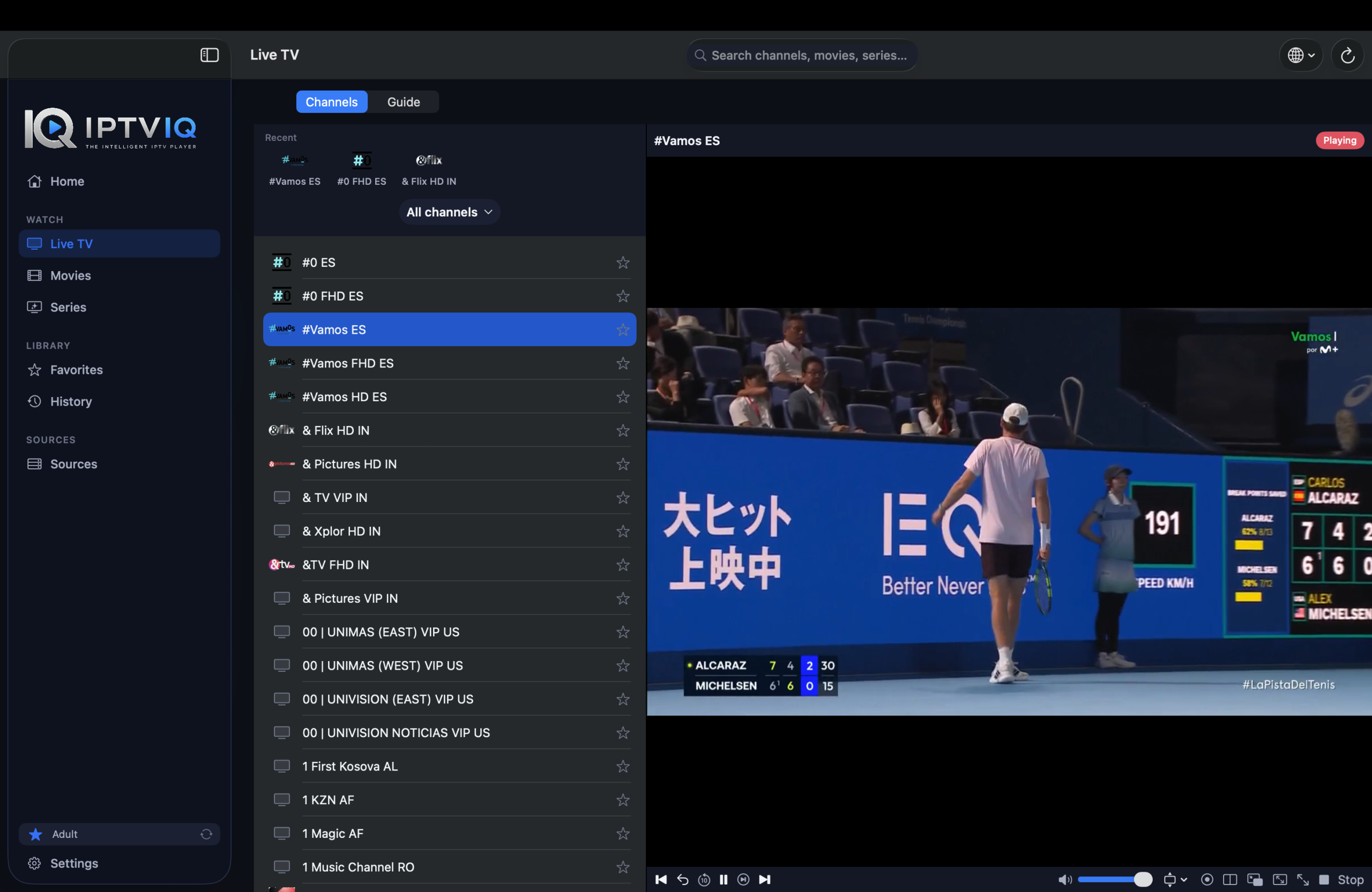
IPTVIQ approaches Live TV as a structured library.
Channel categories help separate different types of programming, while navigation tools make moving through large channel collections easier.
Users can spend less time searching through an endless list and more time actually watching television.
Electronic Program Guide
An Electronic Program Guide can completely change how useful an IPTV setup feels.
When compatible EPG information is available from the connected source, IPTVIQ can display programming information alongside Live TV.
Instead of seeing only a channel name, viewers can understand what is currently airing and what is scheduled next.
Mini-EPG functionality provides quick access to programming information while maintaining the viewing experience.
EPG availability and accuracy ultimately depend on the data provided by the IPTV source.
Live TV, Movies and Series in One Application
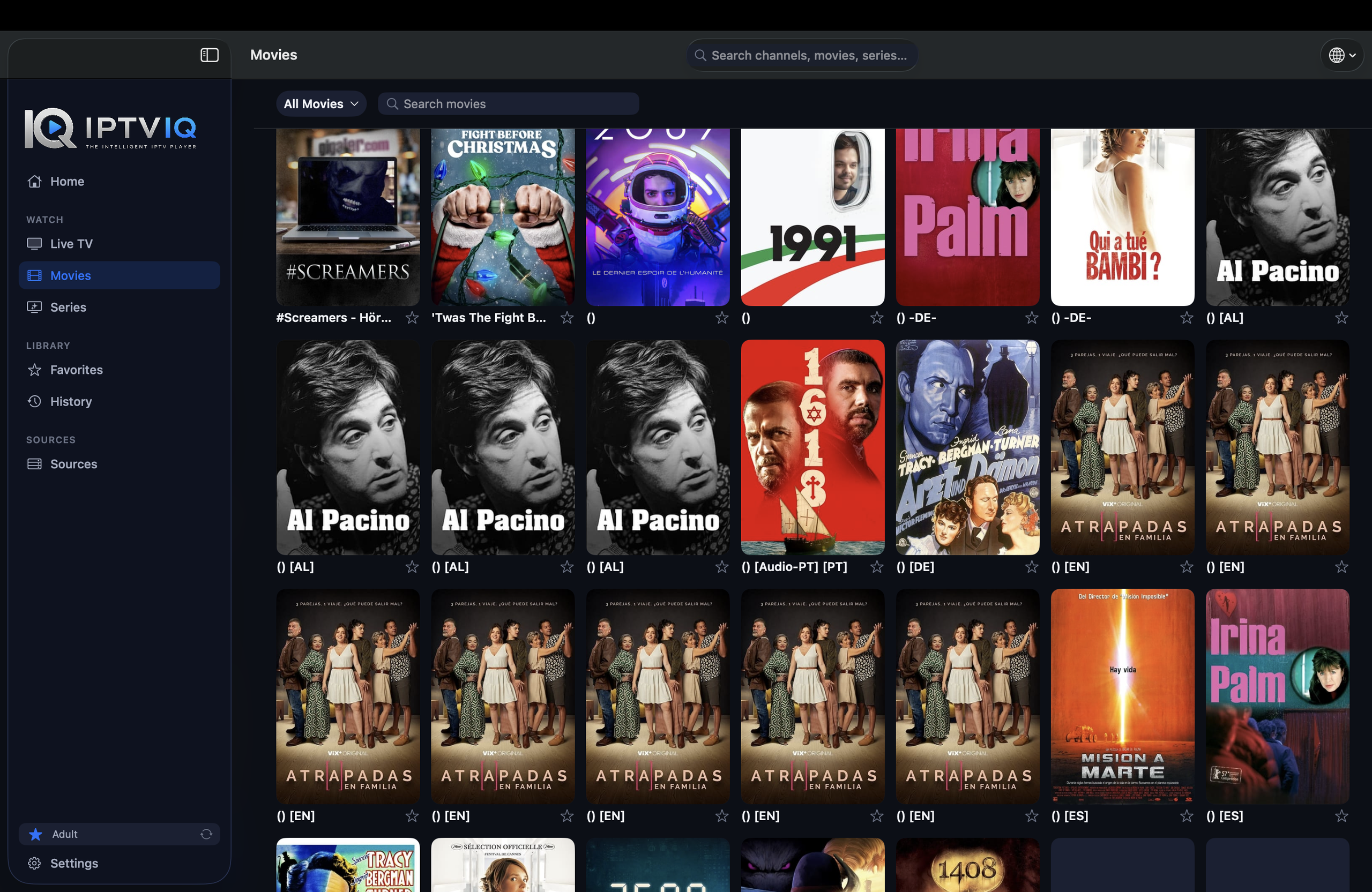
Many IPTV services now combine several types of content.
A single source may contain live television channels, movies and complete television series.
IPTVIQ separates these experiences into appropriate sections.
Live TV remains optimized for channel-based viewing, while Movies and Series can be browsed as on-demand libraries.
This separation may sound simple, but it makes a significant difference when navigating large IPTV catalogs.
Continue Watching
Modern streaming platforms have made playback continuity an expected feature.
IPTVIQ brings the same concept to compatible IPTV content.
Suppose you begin watching a movie but stop after 42 minutes.
Rather than remembering the exact timestamp yourself, viewing progress can allow you to return through Continue Watching and resume from the previous position.
This becomes particularly useful when several movies and series are being watched at the same time.
Favorites Put Important Channels First
Most viewers regularly watch only a fraction of all channels available through an IPTV source.
Favorites provide a simple way to separate those channels from the rest of the library.
Sports channels, news networks, entertainment channels or other frequently watched content can be kept within easy reach.
Combined with history and playback progress, Favorites help turn a generic IPTV catalog into a personalized viewing environment.
Multiple Profiles
Personalization becomes even more useful when several people share the same Mac or IPTV setup.
IPTVIQ supports separate profiles so different viewers do not necessarily need to share the same history, preferences and viewing environment.
One person can maintain their own Favorites while another uses a completely different collection.
This makes the application more suitable for household use.
Kids Profiles and Parental Control
A large IPTV library may contain content that is not appropriate for every member of a household.
IPTVIQ’s Kids Profile concept provides a more controlled environment for younger viewers.
Parents can determine which content should be available or restricted rather than simply exposing the complete IPTV catalog.
Approvals and blocklists can therefore become part of the child’s profile.
This profile-based approach also creates an important foundation for future cross-device synchronization.
Record Live TV with DVR
Live television happens on a schedule, but viewers do not always have to follow that schedule.
IPTVIQ includes DVR functionality for recording supported Live TV streams.
Recorded content can remain stored locally on the Mac.
Local DVR storage is an important architectural choice because television recordings can become very large.
There is little reason to automatically upload gigabytes of recorded video simply to synchronize basic viewing preferences between devices.
Catch-Up TV
Some IPTV providers offer access to recently aired programming.
When Catch-Up is supported by the connected provider, IPTVIQ can make this content accessible through the player.
This can allow viewers to return to programs that have already aired without manually recording them in advance.
However, Catch-Up availability is controlled by the IPTV provider.
IPTVIQ cannot provide archived programming that is not available from the connected source.
Two Live Streams with Multiview
There are times when switching between channels is not enough.
IPTVIQ supports Multiview for watching two compatible live streams simultaneously.
Sports are perhaps the clearest example.
A viewer could keep two live events visible at the same time instead of repeatedly moving between channels.
Multiview can also be useful for news, live events or other broadcasts where simultaneous monitoring is valuable.
Smart Recovery for Unstable Streams
IPTV streams can occasionally stop because of temporary network or provider-side interruptions.
Restarting the channel manually every time is frustrating.
IPTVIQ includes Smart Recovery functionality designed to detect certain playback interruptions and attempt to restore the stream automatically.
Smart Recovery cannot repair a provider that is completely offline, but it can reduce unnecessary manual intervention when interruptions are temporary.
Advanced Networking with Per-Source Proxy Support
Not every IPTV source needs to use the same network configuration.
IPTVIQ provides proxy configuration on a per-source basis.
Available connection modes include:
- Direct
- HTTP
- HTTPS
- SOCKS5
This allows users to configure different networking behavior for different IPTV sources.
For advanced users managing multiple services, per-source configuration provides considerably more control than a single application-wide proxy option.
Designed Around Local Control
An IPTV player handles more than video playback.
It may also contain source configurations, credentials, viewing history, profiles, Favorites and other personal settings.
IPTVIQ follows a local-first philosophy for important application information.
Keeping appropriate data on the user’s device provides greater separation between the player and the IPTV service itself.
Sensitive credentials can also benefit from secure storage mechanisms available within macOS.
From a Mac IPTV Player to a Connected Experience
IPTVIQ currently focuses on the Mac experience, but IPTV naturally fits a multi-device environment.
A Mac may be ideal for configuring sources and managing a library, while a television is often the preferred screen for everyday viewing.
Mobile devices introduce another viewing context.
The challenge is keeping those devices consistent.
This is where Cloud Sync becomes interesting.
What Cloud Sync Could Actually Synchronize
Cloud Sync does not need to involve IPTV video.
Its primary purpose can be synchronizing lightweight user data.
Imagine the following scenario.
You add several IPTV sources on your Mac.
You mark ESPN as a Favorite.
You create a Kids Profile and approve selected content.
Then you start watching a movie and stop at minute 42.
A synchronized device could eventually receive information such as:
Favorite Channel: ESPN
Movie Resume Position: 00:42:00
Profile: Kids
Content Rules: Approved / Blocked items
Instead of rebuilding the complete environment on every device, suitable settings could follow the user.
What Should Be Synchronized?
Potential Cloud Sync data could include:
- Favorites
- Watch history
- Resume positions
- Profiles
- Kids Profile permissions
- Blocklists
- Selected application settings
- EPG mappings
These are relatively small pieces of metadata.
DVR recordings are very different.
Recorded television can consume gigabytes of storage and can therefore remain local to the device.
This creates a practical model where lightweight preferences synchronize while large media files remain under local control.
Cloud Sync Is Not Cloud Streaming
This distinction is essential.
Synchronizing the timestamp of a movie does not mean the movie itself needs to pass through an IPTVIQ server.
The IPTV stream can continue to follow a direct route:
IPTV Provider → User’s Device
Synchronization can operate independently:
Mac ↔ Sync Service ↔ Other User Device
The sync service only needs the relevant metadata.
It does not need to retransmit the IPTV stream.
Therefore:
Cloud Sync ≠ Cloud Streaming
and
Cloud Sync ≠ IPTV Proxy Service
This architecture can provide cross-device convenience without unnecessarily placing another server between the viewer and their IPTV provider.
Who Is IPTVIQ For?
IPTVIQ is best suited to users who already have compatible IPTV sources and want more than basic playlist playback.
It is particularly interesting for users who manage multiple sources, watch both Live TV and VOD, rely on EPG information, want DVR functionality, use Catch-Up, need separate household profiles or want more advanced network configuration.
Users with very large IPTV libraries may also benefit from Favorites, categories, history and Continue Watching.
Ultimately, IPTVIQ improves the software experience surrounding IPTV.
The quality of channels, availability of content and reliability of streams still depend on the connected IPTV provider.
Does IPTVIQ Include IPTV Subscriptions?
No.
IPTVIQ is the player, not the IPTV provider.
The application does not include an IPTV subscription and does not independently provide Live TV channels, movies or television series.
Users must connect their own compatible IPTV source and are responsible for ensuring they have the appropriate authorization to access its content.
This distinction is important because IPTVIQ’s purpose is to improve the viewing experience rather than distribute IPTV content.
Final Thoughts
IPTVIQ shows how much more an IPTV player can offer beyond opening an M3U playlist.
Multiple source support creates flexibility. EPG makes Live TV easier to navigate. Movies, Series and Continue Watching improve the on-demand experience, while Favorites and profiles introduce personalization.
DVR and Catch-Up provide more control over television schedules. Multiview expands live viewing possibilities, and Smart Recovery helps deal with temporary playback interruptions.
For advanced users, per-source proxy configuration adds another useful layer of control.
The longer-term potential is even more interesting.
By combining direct IPTV playback with selective synchronization of Favorites, profiles, history and playback progress, IPTVIQ could evolve from a powerful Mac IPTV player into a connected viewing environment across multiple personal devices.
The important principle remains the same: the IPTV stream stays between the provider and the user’s device, while IPTVIQ focuses on making the experience around that stream smarter and easier to manage.